Pre-Training Wellness Check
The Pre-Training tab is your morning check-in. It takes about 30 seconds to complete and should be submitted on the morning of every training day.
Step by step
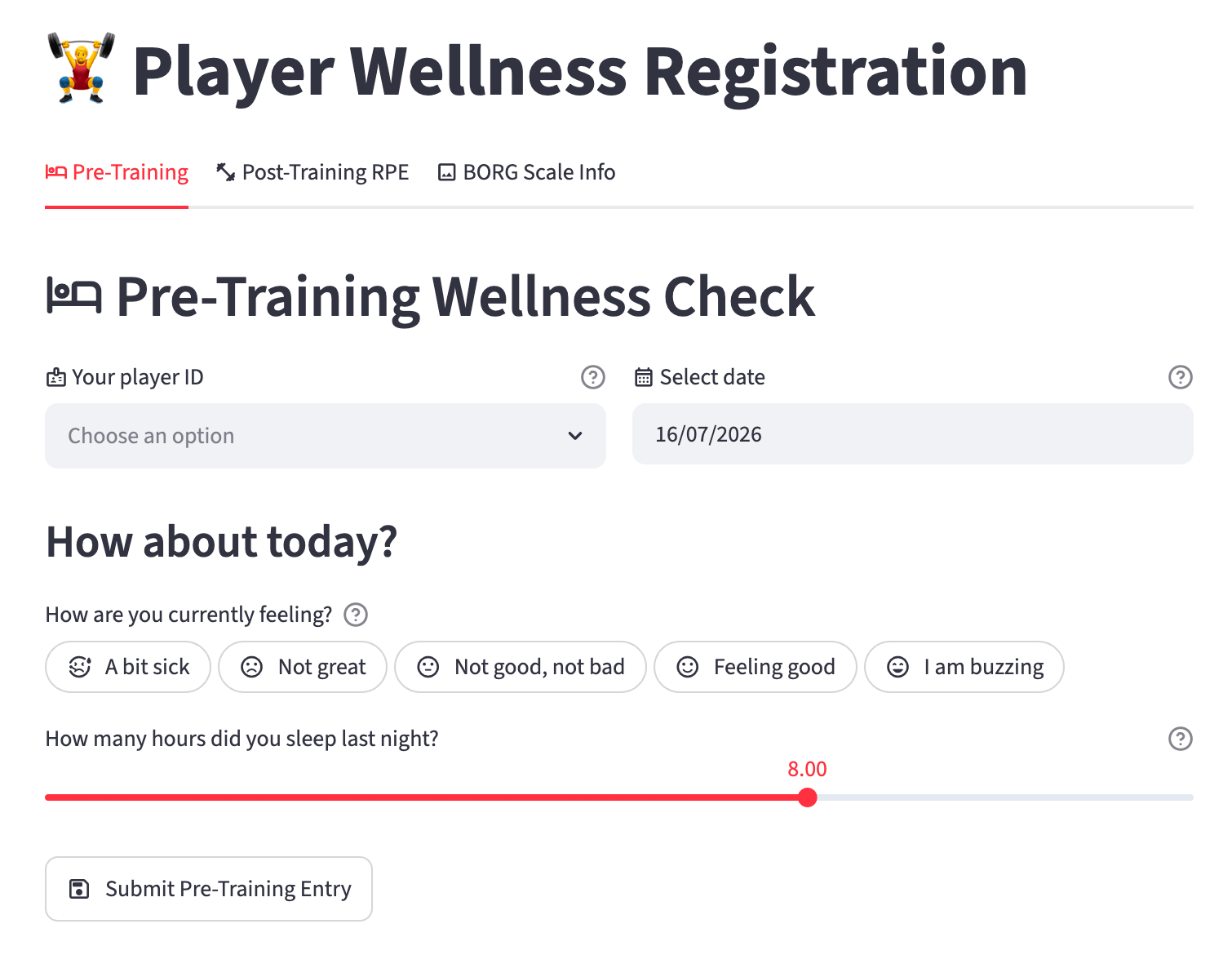
1. Select your Player ID
Choose your Player ID from the dropdown list. If your ID is not in the list, contact your coaching staff.
2. Select the date
The date defaults to today. Change it only if you are submitting a late entry for a previous training day.
3. How are you feeling?
Select the option that best describes how you feel right now:
| Score | Label | Meaning |
|---|---|---|
| 1 | 😷 A bit sick | Unwell, headache, sore throat, fatigue |
| 2 | 😞 Not great | Below par, not quite right |
| 3 | 😐 Not good, not bad | Average, nothing to report |
| 4 | 😊 Feeling good | Ready to train |
| 5 | 😁 I am buzzing | Excellent, full of energy |
Tip
Be honest. This data helps your coaching staff manage your workload and spot early signs of fatigue or illness. There is no wrong answer.
4. Hours of sleep
Use the slider to report how many hours you slept last night. Drag to the nearest half hour (e.g. 7.5 for seven and a half hours).
5. Submit
Tap Submit Pre-Training Entry. A green confirmation message confirms your data has been saved.
What happens to this data?
Your feeling score and sleep hours are combined with your RPE score from the same day to give your coaching staff a complete picture of your readiness and recovery. It is never shared outside the club.